For most online stores, the cookie banner is the very first touchpoint a new visitor encounters. Unfortunately, traditional compliance banners often act like digital brick walls – demanding legal decisions and cluttering the viewport before shoppers even have a chance to look at your products. This jarring initial interaction creates immediate friction, disrupts brand storytelling, and drives avoidable early bounce rates.
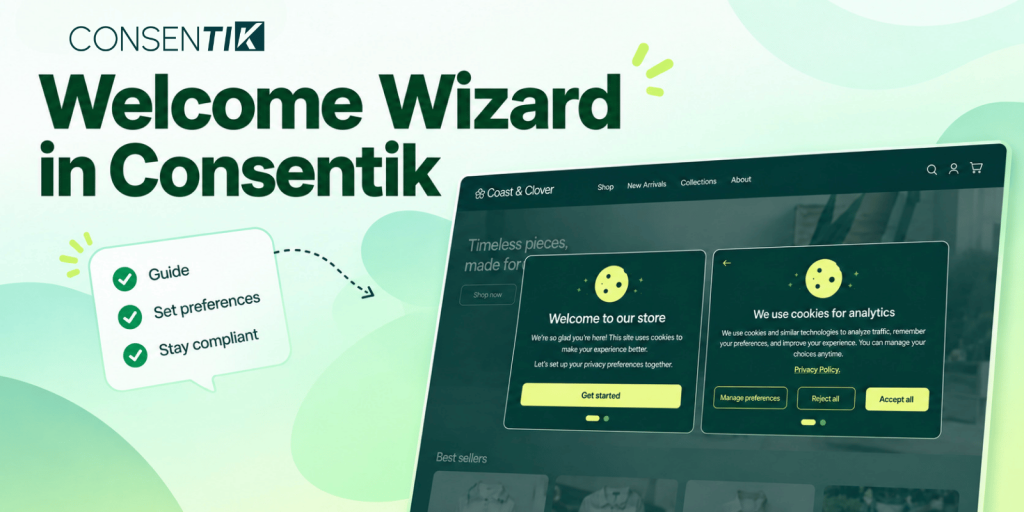
The new Welcome Wizard in Consentik for Wix stores re-architects this first interaction entirely. Instead of hitting shoppers with legal fine print right away, it introduces a clean, two-step consent flow over a subtle, blurred backdrop of your site. Visitors receive a branded greeting first, followed by a calm, streamlined cookie preference screen. The result is a welcoming customer experience that protects your brand’s first impression while keeping international privacy compliance completely airtight.
Consentik Welcome Wizard: A Two-Screen Approach to Cookie Consent
The Welcome Wizard splits the compliance interaction into two progressive screens, keeping shoppers oriented with clean pagination dots and a back arrow to review choices at any time.
Screen 1 — The Branded Greeting
Before any technical cookie terminology is introduced, the Welcome Wizard presents a friendly, branded introduction. Store owners can upload a custom logo or hero illustration, tailor the headline and subtitle to match their distinct brand voice, and invite users forward with a simple “Get started” button. This establishes trust and visual continuity immediately upon landing.
Screen 2 — Flexible Cookie Choice
Choose from three display modes based on your compliance and UX goals:
- Simple: Short message with one-tap Accept and Reject buttons, plus an optional Preferences link. Ideal for fast browsing and conversion.
- Categories: Adds four inline category toggles so visitors can adjust specific preferences directly on screen.
- Preferences: Full category list with detailed descriptions and an optional per-cookie table for maximum GDPR transparency.
Two Container Styles: Choose between a Centered card modal or a Fullscreen overlay, complete with adjustable Banner width (%) to match your store layout.
Improving Storefront UX While Keeping GDPR Compliance Intact
Consentik ensures that a smoother customer experience does not come at the expense of regulatory standards.
Frictionless First Impressions: Greeting shoppers first softens the compliance process, turning a legal requirement into an intuitive part of your site onboarding.
Zero Pre-Consent Architecture: Strictly necessary cookies stay locked on, while all optional tracking categories start toggled off. Nothing is pre-consented on the visitor’s behalf.
Granular Control On Demand: Even in Simple or Categories mode, shoppers can click into the full cookie table at any time to manage individual preferences.
How to Set Up the Welcome Wizard in Consentik Settings
You can configure and publish the Welcome Wizard in just a few steps from your app dashboard:
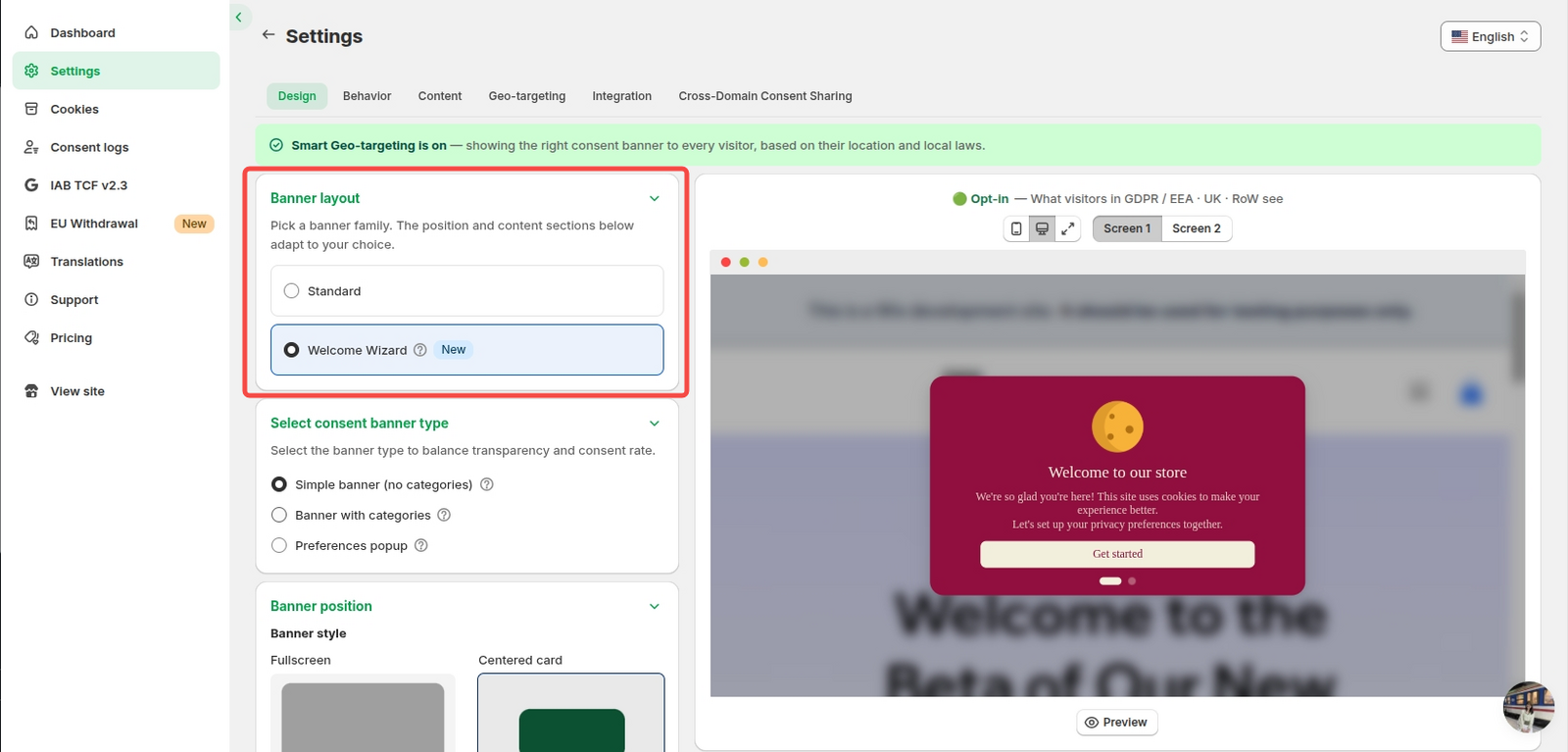
- Open Design Settings: In your Consentik dashboard, navigate to Settings > Design.
- Switch Layout: Under Banner layout, select Welcome Wizard [New].
- Choose Container Style: Select Fullscreen or Centered card, then set your preferred banner width percentage.
- Select Consent Style: Choose between Simple banner, Banner with categories, or Preferences popup.
- Customize Branding & Copy: Upload your logo or hero image, edit your welcome text, and preview both Screen 1 and Screen 2 for mobile and desktop before saving.
Get Started with the Welcome Wizard
Upgrade your cookie notice from a compliance roadblock to an organic part of your customer experience.
Need a hand configuring the Welcome Wizard for your theme? Reply directly to our team or reach out through support, and we’ll help you set it up.
Turn Your Cookie Banner Into a Warm Welcome
The new Welcome Wizard greets shoppers first, then handles consent in a calm two-step flow – protecting your first impression while keeping GDPR compliance airtight