You spend weeks getting your brand colors right. Then a cookie banner appears in default black and white and makes the store look unfinished. Fixing it by hand means picking a background, text color and button colors one by one, and it is easy to end up with a combination that clashes or is hard to read.
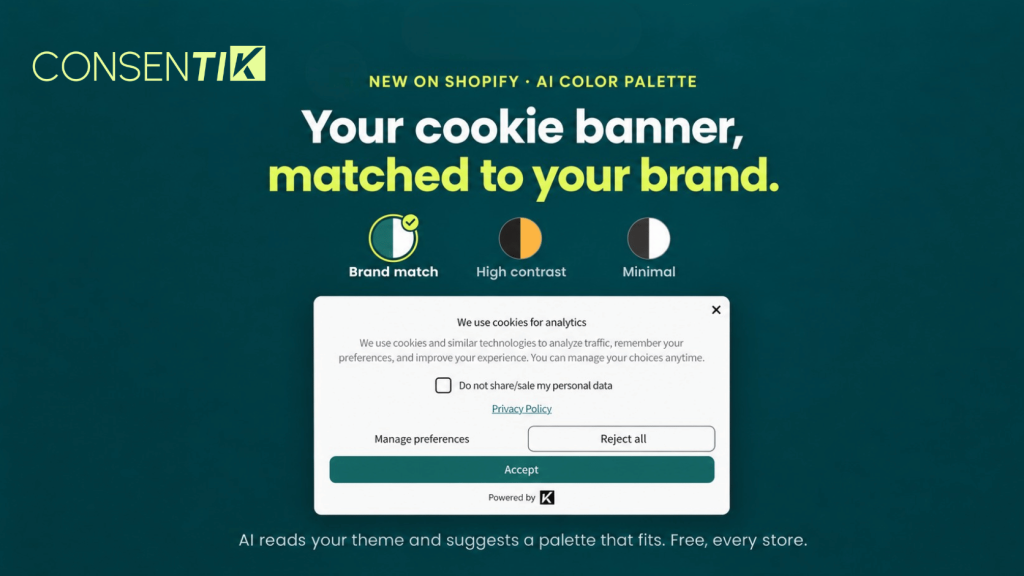
Consentik for Shopify now has an AI Color Palette that helps you match cookie banner to Shopify theme colors in one click. It reads the colors already in your theme and suggests banner palettes that fit your brand, so your consent banner looks like part of your store instead of an add-on.
AI Color Palette Now Designs Your Shopify Cookie Banner Colors
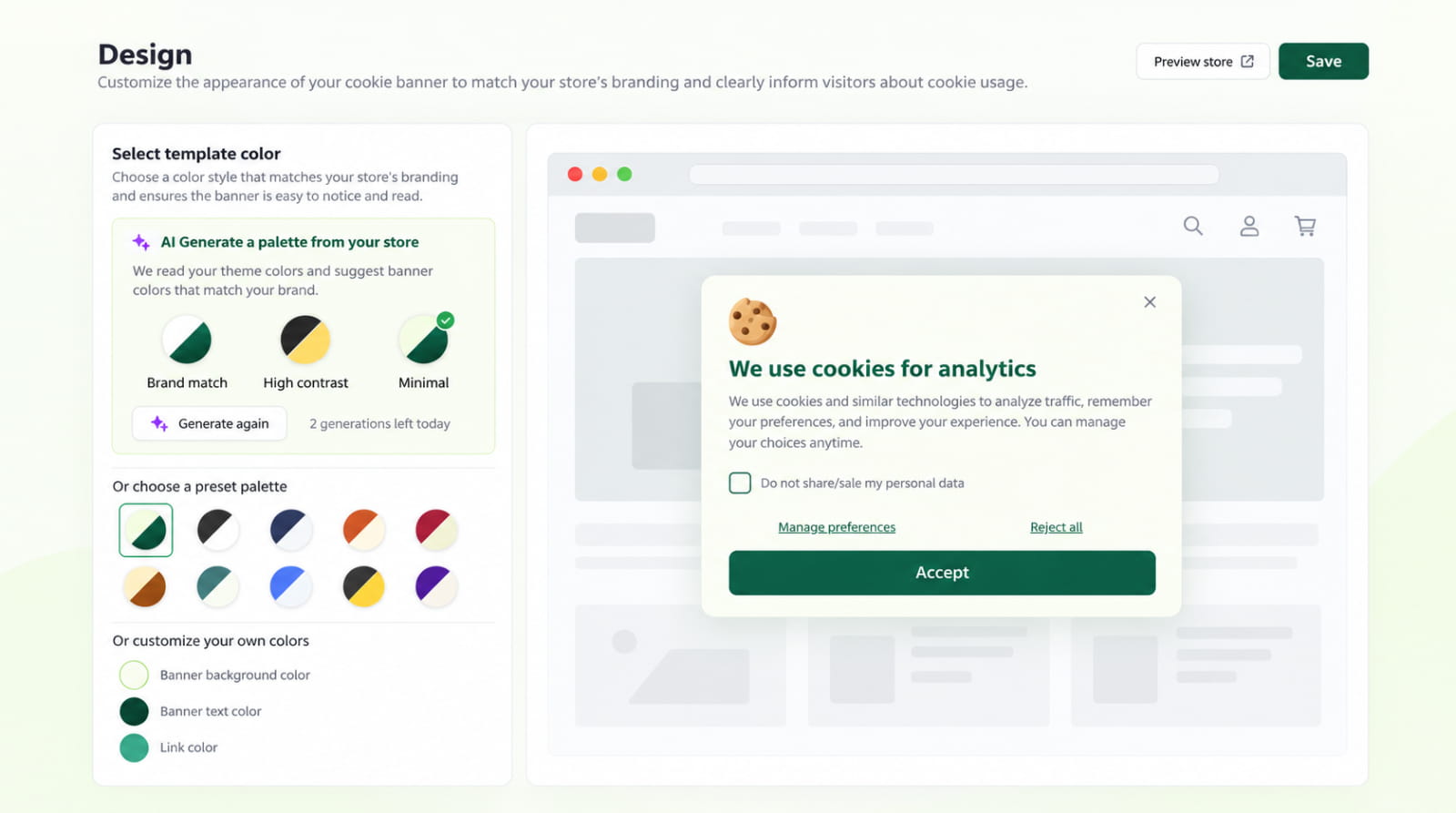
Each time you generate, Consentik gives you three palettes to compare side by side before you pick one. Here is what you get:
- Brand match: a palette that blends into the colors your theme already uses.
- High contrast: a palette built for maximum readability.
- Minimal: a clean, quiet look that stays out of the way.
- Three generations per day: each store can run up to three generation requests a day, with three options in each, so there is room to experiment.
- No manual color setup: choose a palette that fits your storefront without setting every color yourself.
Availability: AI Color Palette is free for all Consentik users, on every plan.
Why a Cookie Banner That Matches Your Theme Builds Shopper Trust
A cookie consent banner is often the first thing a new visitor interacts with. How it looks shapes how they respond to it.
- It feels native, not bolted on: a banner in your brand colors reads as part of your store, which makes the consent prompt feel more trustworthy.
- Trust leads to engagement: a shopper who trusts the prompt is more likely to read and respond to it instead of dismissing it on sight.
- Readability stays front and center: the High contrast option gives you a palette focused on clear, easy-to-read text and buttons.
- Less time spent tweaking: instead of testing color combinations by hand, you compare three ready-made options and pick one.
Where to Find AI Color Palettes in Consentik
You can generate a palette in two places:
- During Onboarding: generate a palette while you set up Consentik for the first time, so your banner matches your store from day one.
- In Settings -> Design: generate a new palette any time you want to refresh the banner, for example after a theme change or rebrand.
How to Match Cookie Banner to Shopify Theme: Step by Step
Quick setup (3 steps)
- Open Consentik and go to Settings -> Design, or continue through Onboarding if you are setting up for the first time.
- Generate your AI color palette. Consentik suggests three options: Brand match, High contrast and Minimal.
- Compare the three looks and choose the one that suits your store.
Tip: not happy with the first three options? Generate again. You have up to three generation requests per store each day.
AI Color Palette Limits and Availability
- Daily limit: up to three generation requests per store each day. Each request returns three palette options.
- Plans: free for every Consentik user, on all plans.
- Where it works: Onboarding and Settings -> Design.
Start Using AI Color Palettes in Consentik Today
AI Color Palette is live now. Open Consentik, go to Settings -> Design or start Onboarding, generate your palette and pick the look that fits your brand. If you need help getting started, our team is here to help.
Give Your Cookie Banner Your Brand Colors
Generate three AI palettes from your Shopify theme and pick the one that fits. Free on every plan.