
![Google Ads Privacy Policy: Understand The Remarketing Requirement [2026 Update]](https://consentik.com/wp-content/uploads/2026/04/google-ads-privacy-policy-1024x645.png)
If you run Google Ads – especially remarketing campaigns – you need a privacy policy. Not just for legal protection, but because Google requires it. Without one, your ads can be suspended, your remarketing lists can become ineligible, and you could face regulatory fines. This guide breaks down exactly what Google Ads privacy policy requirements look like, what Google remarketing requirements you need to follow, and how to write a privacy policy that keeps you compliant and your campaigns running.
How Google Ads Works & Why Privacy Matters
Google Ads is an online advertising platform that lets businesses show ads across Google Search, YouTube, Gmail, and millions of partner websites and apps. You can run text ads, display ads, shopping ads, and video ads – all targeting specific audiences based on search behavior, interests, demographics, and more. When someone clicks your ad or visits your site, Google collects data. That data powers how your ads are shown, measured, and optimized. And that’s exactly why privacy policies matter.
What Is Google Ads Remarketing and How Does It Collect Data?
Understand Google Ads Remarketing
Remarketing – also called retargeting – is a way to re-engage people who have already interacted with your business. If someone visited your product page but didn’t buy, remarketing lets you show them ads later as they browse other websites or use apps. Google outlines several advantages of remarketing, such as building targeted ads based on what visitors browsed or shopped for on your website. 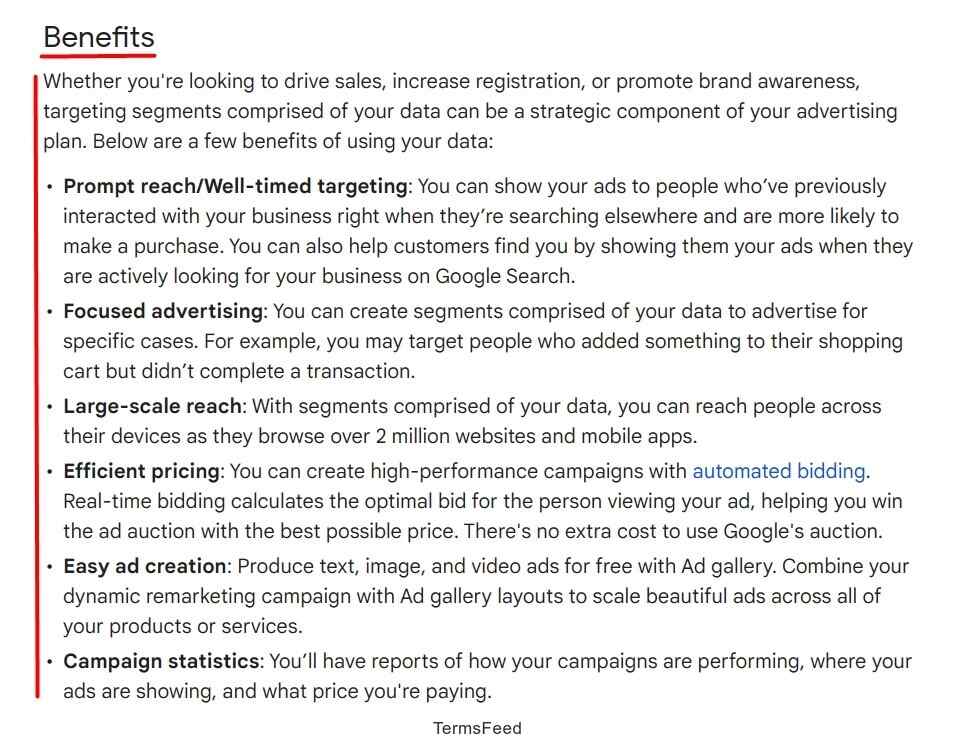 Here’s how it works at a basic level:
- A visitor comes to your website.
- Google places a cookie or device identifier on their browser.
- That visitor gets added to a remarketing audience list.
- Your ads follow them across the Google Display Network and partner sites.
It’s one of the most effective advertising strategies available. But it involves collecting personal data – which means it comes with real privacy obligations.
Understand Google Privacy Policy & Terms
A privacy policy is a legal document that tells users:
- What personal data you collect
- Why you collect it
- How you use it
- Who you share it with
- How users can control or opt out
Most countries require a privacy policy if you collect any user data. And if you run Google Ads or remarketing campaigns, you’re collecting data – whether you realize it or not. Google’s own rules go further. They contractually require advertisers to maintain a privacy policy that includes specific disclosures. If your policy is missing, vague, or doesn’t cover remarketing, Google can suspend your account or disable your audience lists.
Google Ads Remarketing Privacy Policy Requirements
Google is explicit about what your privacy policy must include when you run remarketing campaigns. This applies whether you’re using Google Ads remarketing tags, Google Analytics advertising features, or both. 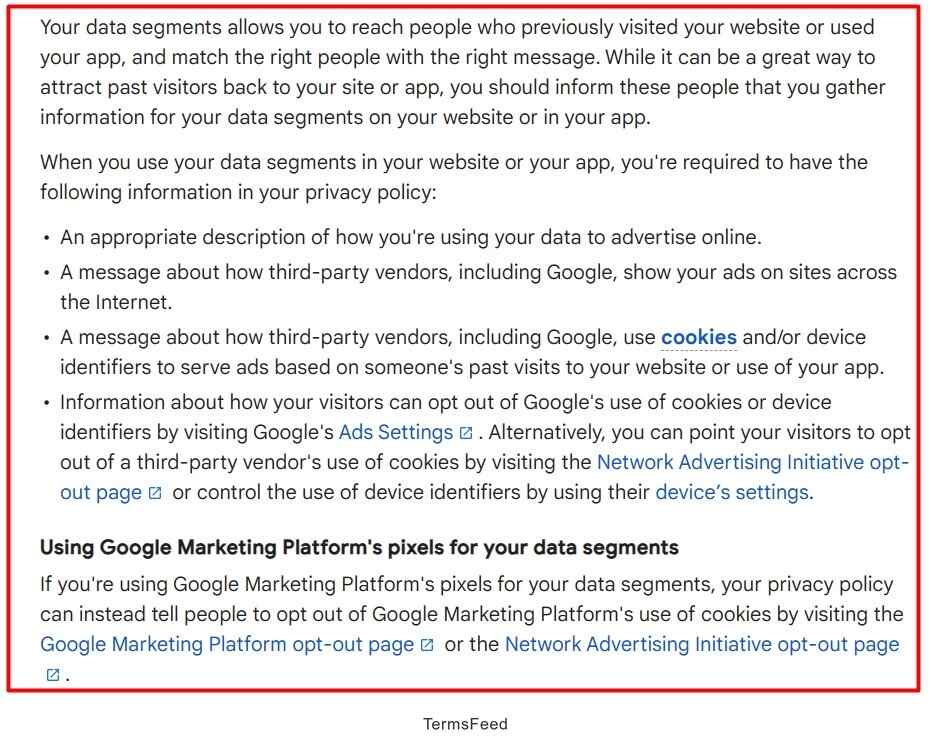 Google requires you to disclose:
- That third-party vendors, including Google, show ads on websites across the internet
- Those vendors use cookies and device identifiers based on a user’s past visits to your website or app
- Which advertising features have you enabled (if using Google Analytics)
- How first-party and third-party cookies or identifiers are used together
- How users can opt out of personalized ads
If you use Google Analytics advertising features specifically, which power remarketing audiences, Google’s policy adds another layer. You must disclose which features are implemented, how cookies work in your setup, and point users to opt-out options like Google’s Ads Settings. Missing any of these? Your remarketing lists can be flagged as ineligible, and your domain can be suspended from personalized advertising until you fix it.
What Your Privacy Policy Must Cover for Google Ads Remarketing
A good privacy policy doesn’t need to be complicated. It needs to be honest, clear, and complete. Here’s what each section should cover. Not sure where to start? Consentik offers a Free Privacy Policy Generator that creates a GDPR-compliant privacy policy in minutes — no email required, no hidden fees. Just fill in your business details, customize the template for your needs, and download it instantly. It’s a practical starting point before you tailor the sections below to your specific setup. 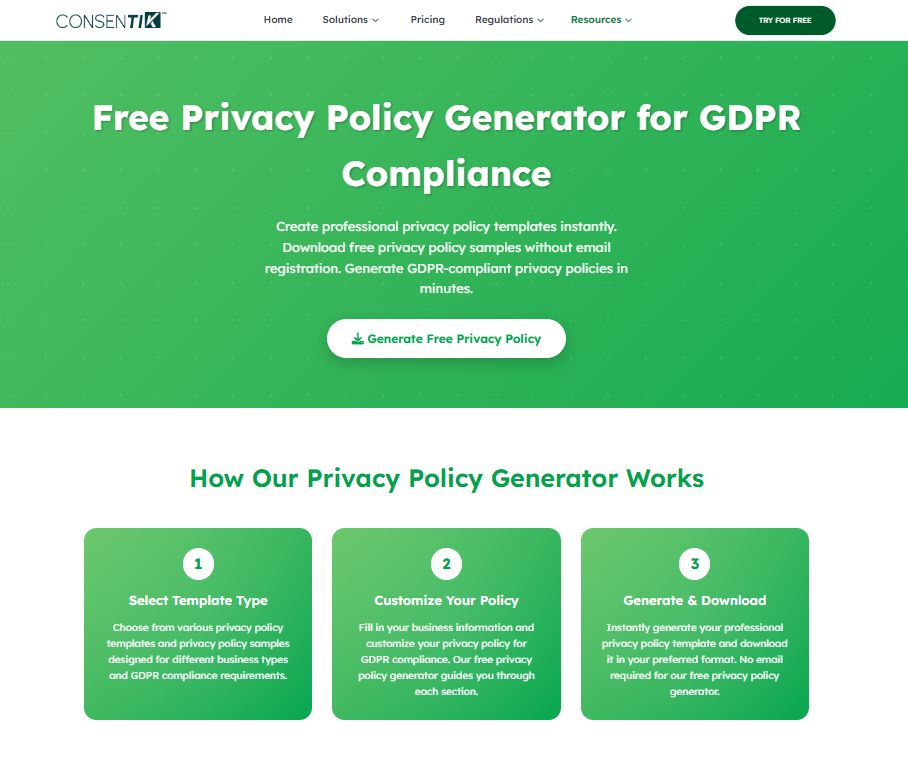 Here’s what each section of your privacy policy should cover.
Use of Remarketing
Start with a plain-language explanation of what remarketing is and that you use it. Example: “We use Google Ads remarketing to show ads to people who have previously visited our website. This means you may see our ads on other websites and apps after leaving our site.” Don’t bury this in legal jargon. Users need to understand what’s happening to their data.
Types of Personal Data Collected
Be specific about what data is collected when someone visits your site and interacts with your ads. When a user visits your site and Google’s tag fires, Google may collect:
- Cookies and device identifiers – used to recognize returning visitors
- IP address – used to infer general location and measure ad effectiveness
- Page URL – the page the user was on when the tag fired
- Advertising identifiers – used in apps (e.g., Android Advertising ID, IDFA on iOS)
- App name – shared when app advertising features are enabled
If you use enhanced conversions or Customer Match, additional data types may be involved – like hashed email addresses, phone numbers, or postal addresses. Disclose these separately if applicable.
Purpose of Data Processing
Tell users why you’re collecting this data. For remarketing, the purposes are typically:
- Showing relevant ads to prior visitors (remarketing/retargeting)
- Measuring ad performance and conversions
- Limiting how often the same person sees the same ad (frequency capping)
- Improving the relevance of your advertising
Be honest about this. Regulators and Google both expect transparency around purpose – not vague language like “improving user experience.”
Third-Party Vendors (Google)
Name Google explicitly. Your policy should state that Google is a third-party vendor that helps deliver your ads, sets its own cookies, and processes data according to its own privacy policy. 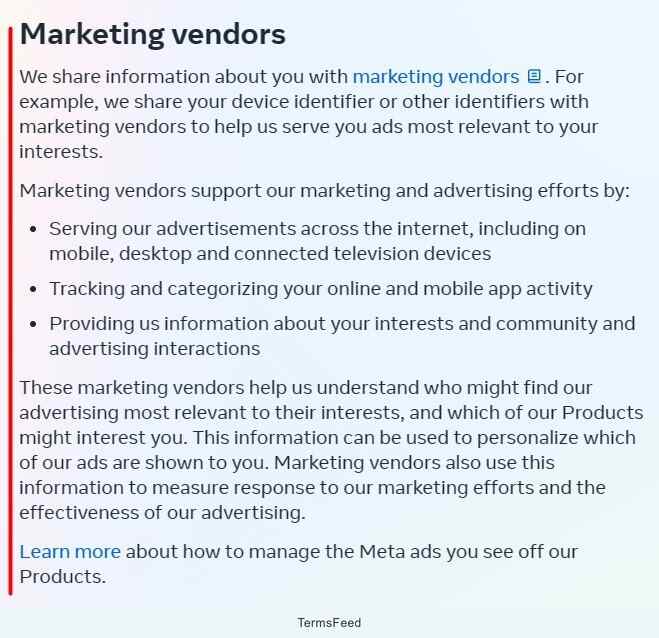 Example: “We work with Google LLC as a third-party advertising vendor. Google uses cookies and device identifiers to show our ads based on your past visits to our site. Google’s use of data is governed by Google’s Privacy Policy, available at policies.google.com/privacy.” This matters because users have a right to know which companies handle their data – not just you, but your ad partners too.
Data Sharing with Third Parties
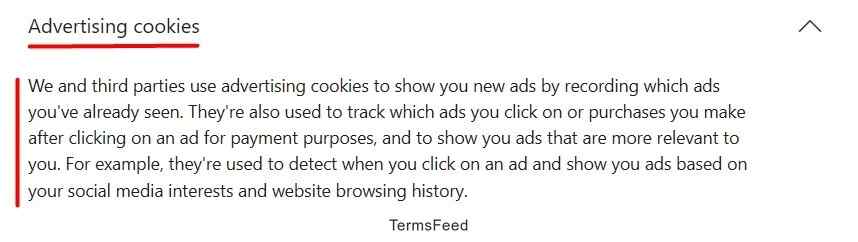 Explain that user data (in the form of cookies, identifiers, and behavioral signals) is shared with Google for advertising purposes. If you use additional ad platforms or analytics tools, list those too. For remarketing specifically, you’re effectively sharing audience membership data with Google so they can serve ads. That’s a data-sharing relationship and should be disclosed. Important: Do not share personally identifiable information (PII) like raw email addresses or names through standard Google tags. Google’s policy prohibits it. Features like Customer Match have specific processes and require separate disclosures.
User Opt-Out Options
This section is non-negotiable – both legally and under Google’s own requirements. Users must have a real way to stop being tracked for advertising purposes. Opt-out options to include:
- Google Ads Settings / My Ad Center – users can manage ad personalization and interests at adssettings.google.com
- Google Analytics Opt-out Browser Add-on – if you use GA advertising features, link to this directly
- Network Advertising Initiative (NAI)
- Digital Advertising Alliance (DAA)
- European users: YourOnlineChoices at youronlinechoices.com
Make it easy. Link directly to these resources – don’t just mention them in passing. A good opt-out section in your privacy policy might read: “You can opt out of personalized ads by visiting Google’s Ad Settings at adssettings.google.com. You can also opt out of interest-based advertising from other participating companies using the Network Advertising Initiative opt-out tool or the Digital Advertising Alliance’s opt-out page.” Note: Opting out of personalized ads doesn’t stop all ads. Users may still see contextual or location-based ads. Make this clear in your policy.
User Privacy Rights
Depending on where your users are located, they may have legal rights over their data. Include a clear section on these rights. For EU/EEA/UK users (GDPR):
- Right to access their data
- Right to delete their data
- Right to withdraw consent at any time
- Right to object to processing for advertising purposes
For California users (CCPA/CPRA):
- Right to know what data is collected
- Right to opt out of the “sale or sharing” of personal information
- Right to non-discrimination for exercising privacy rights
If you serve users in California, you’re likely required to include a “Do Not Sell or Share My Personal Information” link – especially if your remarketing activities involve cross-context behavioral advertising, which most remarketing does. Beyond California, a growing number of U.S. states have similar opt-out laws. It’s worth checking which apply to your audience.
Data Security Measures
You don’t need to publish your entire security infrastructure. But users deserve to know that you take data protection seriously. Mention at a high level:
- That you use industry-standard security measures to protect user data
- That access to user data is limited to authorized personnel
- That you maintain reasonable safeguards against unauthorized access, disclosure, or misuse
If you process sensitive data (health information, financial data), you’ll want to go further – but for most e-commerce and marketing contexts, a general security statement is a starting point.
Contact Information
Always include a way for users to reach you with privacy questions. This is required under GDPR, recommended under CCPA, and just good practice everywhere else. Include at minimum:
- A contact email address dedicated to privacy inquiries
- Your business name and registered address (required in some jurisdictions)
- A data protection officer contact, if applicable under GDPR
Place to Display the Privacy Policy
Writing a solid privacy policy means nothing if users can’t find it. Google checks for accessibility – and so do regulators.
Website Footer
The most standard location. Your privacy policy link should appear in the footer on every page of your site. This is the minimum expectation from both Google and data protection authorities.
Checkout Page
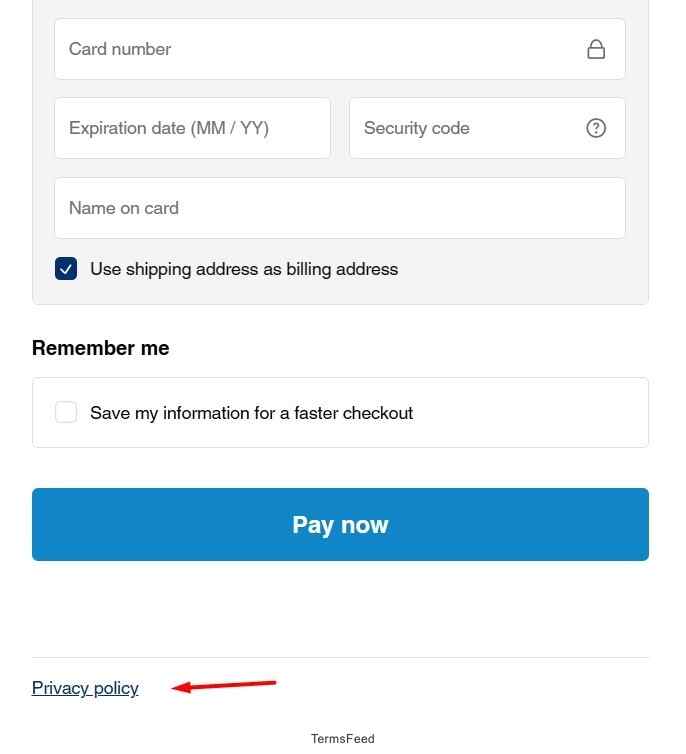 If you collect payment information or process orders, your privacy policy must be visible and linked at the point of purchase. Many jurisdictions require this. Ideally, include a checkbox or statement like: “By completing your purchase, you agree to our Privacy Policy.”
Account Signup / Login
When users create an account, they’re sharing personal data. This is a key moment to surface your privacy policy. A short line like “By signing up, you agree to our Terms of Service and Privacy Policy” with hyperlinks is the standard approach.
Email Signup
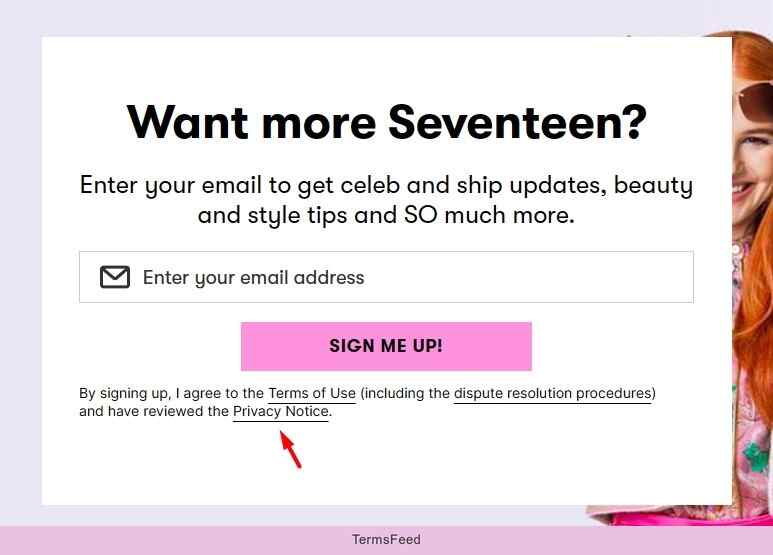 If you capture emails for newsletters or marketing, include a link to your privacy policy near the signup form. Users should know how their email address will be used before they hand it over.
In-App Menu
If you have a mobile app that runs Google advertising features, your privacy policy must be accessible within the app itself – typically in the settings or “About” section. This is a Google requirement for apps using advertising identifiers and a legal requirement under most mobile privacy frameworks.
Getting User Consent Right
Having a privacy policy is the disclosure step. Consent is the action step – and for many users (especially in the EU), you need both.
For EU/EEA/UK users
The ePrivacy Directive and GDPR together mean that non-essential advertising cookies generally require explicit, informed consent before they fire. That means:
- Users must actively choose to accept ad cookies, not be assumed to have consented
- Rejecting cookies must be just as easy as accepting them (no buried “reject” options)
- Consent can be withdrawn at any time
- You cannot use a “cookie wall” that blocks site access unless users accept tracking
Google’s EU user consent policy mirrors these requirements. For European traffic, Google requires advertisers to send valid consent signals via Consent Mode v2 or the IAB Transparency and Consent Framework (TCF). If you don’t send these signals, Google treats the traffic as unconsented, which affects your remarketing audiences and measurement data. The tricky part? Your Consent Mode setup can look fine on the surface, but still be misconfigured underneath. And you won’t know until your data starts dropping. That’s where Consentik’s free Google Consent Mode V2 Checker comes in. Paste your URL, and the tool runs a live scan – simulating a real browser visit to inspect exactly how Consent Mode is firing on your page. It catches configuration errors you’d never spot manually and tells you what needs to be fixed. Free, instant, no email needed. If you’re running remarketing campaigns in Europe, this is worth doing before your next campaign goes live. The four consent signals that matter for Google Ads are:
| Consent Type | What It Controls |
| ad_storage | Ad-related cookies and storage |
| ad_user_data | Sending user data to Google for ad measurement |
| ad_personalization | Personalized advertising |
| analytics_storage | Analytics storage (used for GA-based audiences) |
Your consent management platform (CMP) should map user choices to these signals. If you haven’t upgraded to Consent Mode v2 yet, this should be a priority – especially for campaigns targeting EEA users.
For California users
The opt-out model applies here. You don’t need prior consent for advertising, but you do need to:
- Provide notice at the point of data collection
- Include a “Do Not Sell or Share My Personal Information” link
- Honor opt-out signals, including browser-based signals like the Global Privacy Control (GPC)
Google also updated its own terms for California. Since July 1, 2023, Google no longer acts as a service provider in California for cross-context behavioral advertising. Restricted Data Processing (RDP) is also no longer available for Customer Match in California. These changes affect how you structure your data sharing with Google for California users.
A practical note on consent UX
Regulators have made it clear that dark patterns in consent flows are not acceptable. France’s CNIL fined Google €325 million in 2025 partly over consent issues tied to cookie placement and how users were presented with choices. The message is consistent across regulators: making it hard to say no is not a valid consent strategy. Your consent banner should be clean, honest, and give users a real choice.
Skip the Manual Work. Let a CMP Handle It
Setting up Consent Mode v2, managing cookie banners, tracking user consent in real time, staying ahead of GDPR and CCPA requirements – that’s a lot to handle manually, especially if you’re running a busy online store. And if something slips through the cracks? Your remarketing audiences shrink, your ad data becomes unreliable, and you’re exposed to fines that can reach into the hundreds of thousands – or millions – of dollars. France’s CNIL alone handed Google a €325 million fine in 2025 over consent issues. Smaller businesses aren’t immune either. Most store owners don’t have a legal team or a dedicated privacy engineer on staff. But they still need to be compliant. That gap is exactly where things go wrong. Consentik is a Google CMP Partner and Microsoft-approved CMP built to close that gap – without requiring you to become a privacy law expert. Here’s what it does for you:
- Customizable cookie consent banners – build a compliant banner that matches your brand and meets the requirements of GDPR, CCPA, and other regional laws, with full support for Google Consent Mode v2
- Website compliance scanner – scan your site to detect privacy issues before regulators or Google do, and get clear guidance on how to fix them
- Advanced Google Consent Mode integration – map user consent choices to the right signals (ad_storage, ad_personalization, ad_user_data, analytics_storage) automatically, so your ads and analytics keep working accurately
- Automated consent management – track, store, and update user consent data in real time without manual work
- Seamless integrations – works with Google Consent Mode v2, Microsoft UET, Sklik, Web Pixel, and Shopify headless stores
The result: your remarketing campaigns stay compliant, your data stays accurate, and you spend your time growing your business instead of reading privacy law updates. If you’re an online merchant running Google Ads, Consentik is one of the fastest ways to get your consent setup right – and keep it that way.
Remarketing Compliance Checklist
Before you launch your next remarketing campaign, run through this checklist:
| Task | Status |
| Privacy policy published and accessible on your website | ☐ |
| Privacy policy includes required Google Ads remarketing disclosures | ☐ |
| Opt-out links are included and working | ☐ |
| User rights section covers relevant jurisdictions (GDPR, CCPA, etc.) | ☐ |
| Consent Mode v2 implemented for EEA traffic | ☐ |
| Default consent mode settings deny ad storage until consent is given | ☐ |
| No ad cookies fire before user consent (for EU/UK traffic) | ☐ |
| “Do Not Sell or Share” link visible for California users | ☐ |
| Remarketing audiences reviewed for sensitive category compliance | ☐ |
| Privacy policy linked in website footer, checkout, signup forms, and app | ☐ |
Final Words
Running Google Ads without a proper privacy policy isn’t just a compliance risk – it’s a business risk. Google can suspend your account, disable your remarketing lists, or block your domain from personalized advertising. At the same time, regulators in the EU, UK, and the U.S. are increasingly active, with multi-million-dollar fines as proof. The good news is that compliance doesn’t have to be complicated. A clear, honest privacy policy that covers what you collect, why you collect it, and how users can control it goes a long way. Pair that with proper consent management for your EU traffic and an opt-out mechanism for U.S. users, and you’re in solid shape. Take the time to get this right. Your campaigns will run more smoothly, your users will trust you more, and you’ll be protected when the rules get stricter – because they will.













![Google Ads Privacy Policy: Understand The Remarketing Requirement [2026 Update]](https://consentik.com/wp-content/themes/consentik-theme/assets/logos/consentik-light.png)