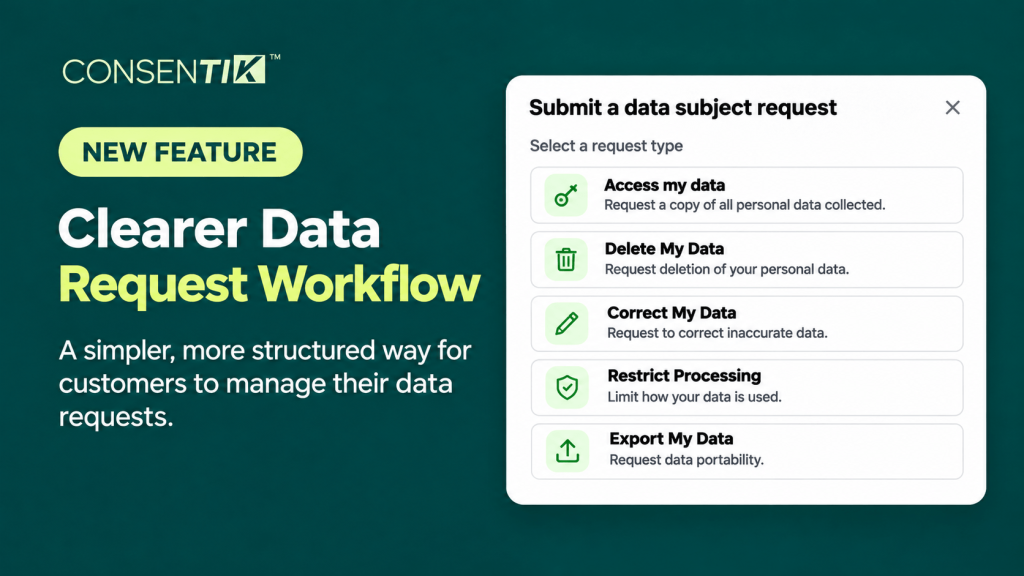
Handling customer data privacy requests can quickly become complex when incoming inquiries lack verification or clear tracking mechanisms. Under international privacy laws such as GDPR (Articles 12–15) and the CCPA, consumers have the legal right to request access to, deletion of, correction of, restriction of, or export of their personal data – and merchants are legally required to fulfill these requests within a 30-day window.
To help Shopify merchants manage privacy compliance effortlessly, Consentik for Shopify introduces Data Subject Access Request (DSAR) Version 2. This update replaces static request forms with a fully verified, end-to-end trackable workflow from initial visitor submission to final fulfillment.
What Is New in Consentik DSAR Version 2?
Previously, data request management relied on a published store page featuring standard action buttons. While functional, it lacked identity verification, automated customer updates, and central status tracking.
Consentik DSAR Version 2 brings a structured, secure intake channel identical to our high-performing Wix privacy framework:
- Mandatory Email Verification: Requests are verified via a 1-hour confirmation link before reaching your queue, eliminating spam, unverified claims, and impersonations.Unique Request Identifiers: Every submission receives a secure Request ID (e.g.,
CST.ACC.A1F4B9.2510091345) built from type indicators, timestamp data, and secure hash fragments. - Enforced 30-Day Deadline Tracker: The 30-day legal clock starts automatically upon verification and remains visible inside your dashboard.
- Step-by-Step Processing Checklist: Type-specific internal checklists guide your staff through data location, third-party cleanup, and file preparation steps.
- Centralized Configuration: Separate daily administrative work from initial display and email setup with dedicated workspaces.
Important Security Note: Consentik transmits and tracks data requests; the application never accesses, stores, or processes the actual content of your store’s customer data.
Understanding the 5 Customer Data Request Types
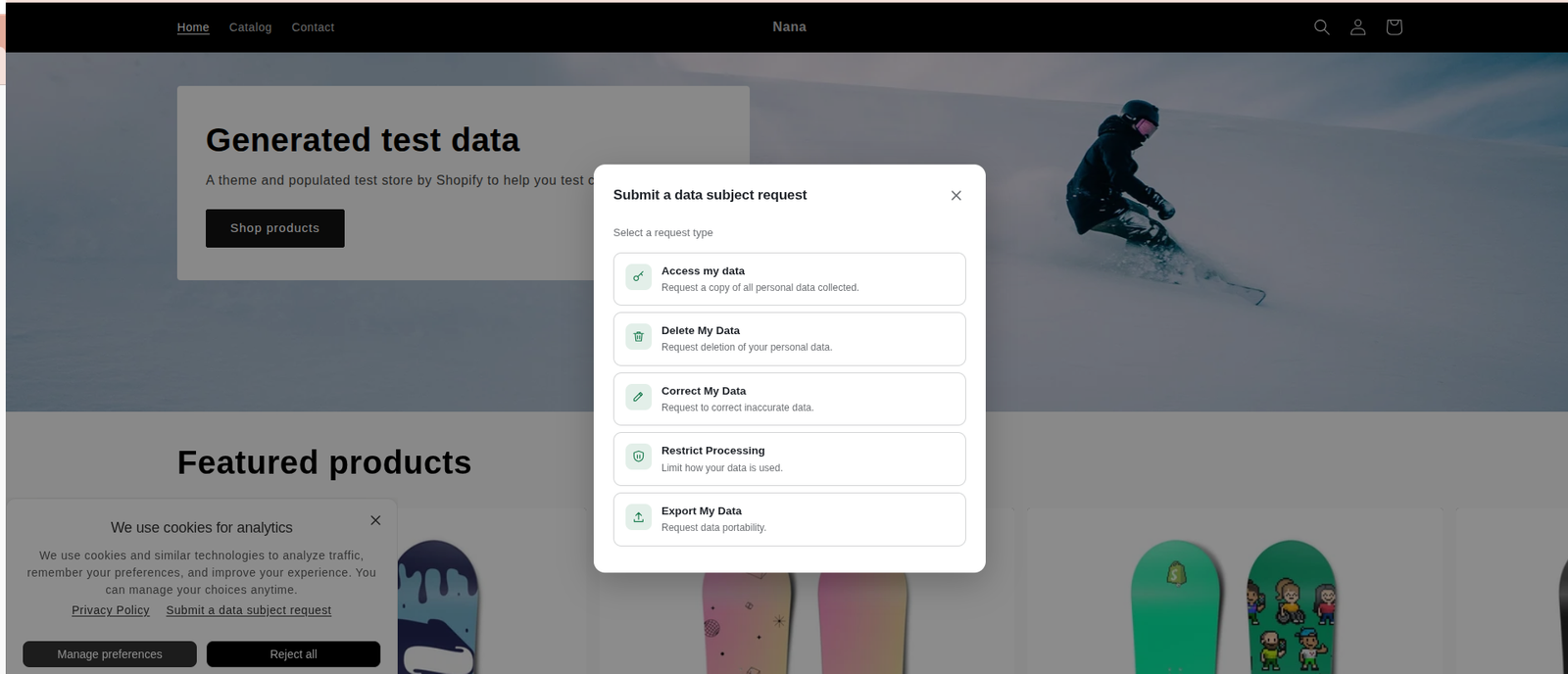
Visitors can submit requests across five distinct privacy categories directly from your cookie banner or preferences modal:
- Access My Data: Requests a copy of all personal data collected about the individual.
- Delete My Data: Requests permanent removal of personal information.
- Correct My Data: Requests updates or corrections to inaccurate personal records.
- Restrict Processing: Requests limits on how personal data is processed or utilized.
- Export My Data: Requests a portable, machine-readable copy of personal data (data portability).
Note: All request category titles and descriptions can be customized within DSAR Setup → Appearance & Content to match your brand tone.
How the Verified DSAR Workflow Operates
The end-to-end customer and merchant journey follows a secure 7-step process:
- Initiation: The visitor clicks the Submit a data subject request link on your cookie banner or preferences popup.
- Selection: The visitor selects one of the 5 request types, enters their name and email, and confirms the required submission box.
- Instant Acknowledgment: A success modal displays their unique Request ID.
- Verification Step: A verification email is dispatched immediately containing a confirmation link valid for 1 hour.
- Activation: Clicking the link opens a confirmation page. The status switches to Verified, and the 30-day countdown timer begins.
- Dashboard Queue: Only after successful email verification does a notification reach your admin dashboard and email inbox. Unverified submissions never clutter your workspace.
- Fulfillment & Response: Your team processes the request using internal checklists, attaches necessary files (JSON, CSV, or PDF for Access/Export requests), and sends a final response email.
Managing Data Requests in Your Admin Dashboard
The updated feature lives in its own dedicated space split into two functional tabs:
1. Request Management (Daily Workspace)
Monitor incoming requests through clear status stages:
- Verified: Confirmed by customer; awaiting action while the 30-day clock counts down.
- In Progress: Processing has begun by your internal team.
- Completed: Fulfilling requirements and final response email sent.
- Rejected: Request declined with optional internal notes explaining rationale.
- Expired: Passed the 30-day legal window without resolution (set automatically by the system).
Opening any request opens a side-drawer containing copyable submitter data, dynamic “Respond by {date}” indicators, step-by-step processing checklists, private internal notes, and complete activity history logs.
2. DSAR Setup (Configuration Hub)
- Appearance & Content: Toggle the master DSAR popup switch, choose display positioning (Center or 4 corners), adjust widget colors, and customize form text.
- Confirmation Page: Customize message copy, title headers, and brand colors across 4 unique confirmation states (Confirmed, Expired Link, Already Confirmed, and Invalid Link).
- Email Templates: Manage 3 core system emails – Verification Email (automated to customer), New Request Notification (automated to merchant), and Final Response Email (sent manually by merchant with attachments).
Plan Availability & Implementation Notes
- Plan Requirement: Data Subject Access Request (DSAR v2) features are available on the Advanced plan.
- Automatic Expiration Handling: The 30-day compliance timeline begins upon email verification. Requests exceeding 30 days automatically update to Expired status for audit record-keeping.
- Data Privacy Protection: Fulfilling and compiling customer data remains the responsibility of the merchant; Consentik provides the workflow, checklists, and audit trail without touching stored store data.
Maintain Effortless Data Compliance for Your Shopify Store
Meeting global privacy mandates like GDPR and CCPA doesn’t have to strain your customer service operations or risk non-compliance fines. With Consentik’s DSAR Version 2, your store gains an automated layer of security through email verification, built-in 30-day deadline countdowns, and structured internal processing checklists – ensuring every legitimate privacy request is handled accurately and transparently.
Ready to streamline your customer data request management? Explore your new DSAR settings in Consentik today or reach out to our team if you need guidance configuring your workflows!
Streamline GDPR & CCPA Data Requests on Shopify
Verified DSAR workflows – automate email verification, track 30-day deadlines, and fulfill customer privacy requests with ease.