You updated your privacy policy or added a new analytics or advertising tool. Visitors who already answered your cookie banner made their choice based on the old setup. The only way to ask them again was to start everyone from scratch, even for categories that didn’t change.
Consentik for Wix now lets you reset cookie consent on Wix by category. Pick the categories that changed, and returning visitors are asked again for those only. Every other choice they made stays as it was, and your consent log stays untouched.
Reset Consent Now Re-Asks Visitors Only for the Categories You Choose
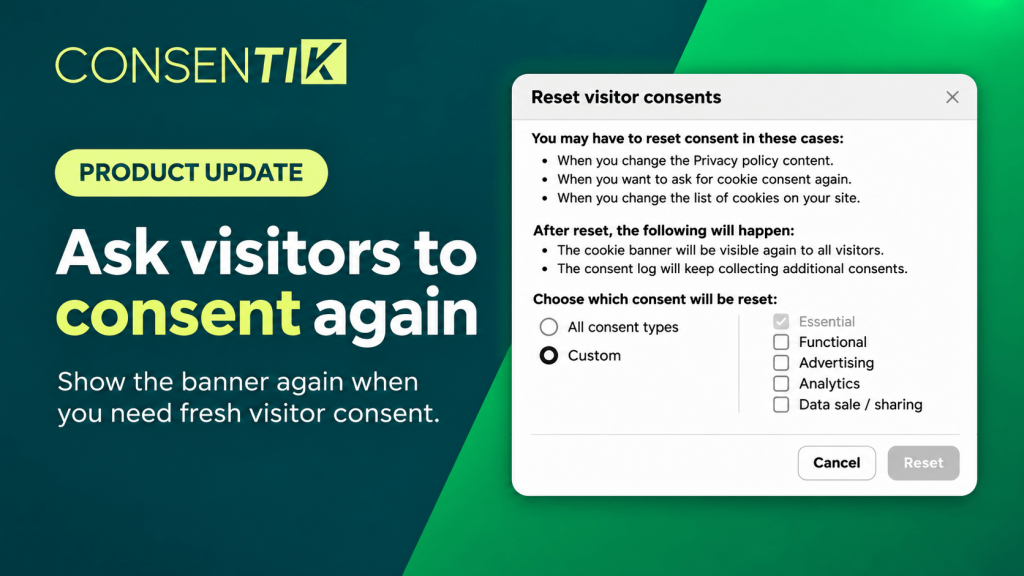
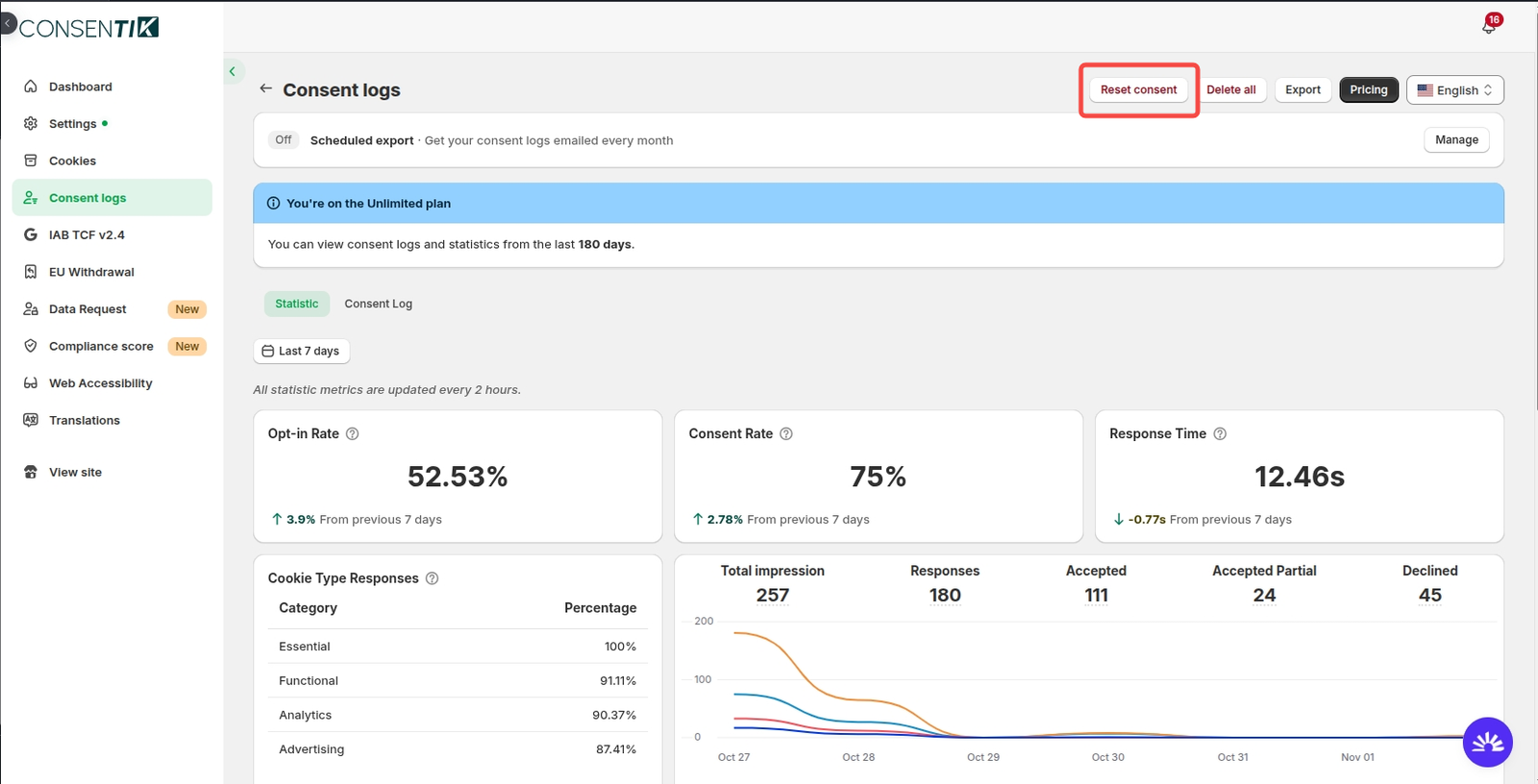
Reset consent sits in your Consent logs, next to Delete all. It changes what a visitor is asked on their next visit and nothing else.
- Reset all or pick categories: choose All consent types, or use Custom to select any mix of Functional, Analytics and Advertising.
- Unaffected choices stay intact: visitors keep their earlier answer for every category you didn’t reset.
- Essential stays locked: visitors don’t opt into Essential cookies, so it is always on and can’t be reset.
- Your records are preserved: resetting doesn’t add, remove or edit a single row in your consent log.
- Plan availability: Reset consent is available on the Advanced plan and above.
Why Re-Asking Cookie Consent After a Policy Change Matters
Consent is only meaningful when visitors know what they agreed to. When your privacy policy or cookie list changes, earlier answers may no longer match what your site actually does. Reset consent gives you a clean way to collect fresh answers without disrupting everything else.
- Fresh answers where they count: re-ask for Advertising after you add an ad pixel, without touching Analytics or Functional choices.
- Less banner fatigue: visitors see questions only for what changed, not a full repeat of the banner.
- An intact audit trail: past consent records stay in your log and exports, so your history is still there when you need it.
- No extra setup: there’s nothing to configure after you click Reset. Consentik handles the rest on each visitor’s next visit.
What Your Visitors See After You Reset Consent
Nothing changes right away. Reset consent doesn’t notify anyone or change what is on a visitor’s screen at that moment.
The next time a returning visitor comes back, the categories you reset appear as if they had never answered. They go through your consent banner or preferences popup as a new visitor would, but only for the categories you picked. Every category you left alone keeps their earlier choice.
How to Reset Cookie Consent on Wix in Consentik
Quick setup (4 steps)
- In the Consentik dashboard, open Consent logs and click Reset consent, to the left of Delete all.
- Read the dialog. It explains when to use a reset and what happens next.
- Choose All consent types, or choose Custom and tick Functional, Analytics, Advertising or any combination.
- Click Reset. The dialog closes and a confirmation message appears.
Reset Consent vs. Delete All in Your Wix Consent Logs
Both buttons live in the Consent logs header, but they solve different problems.
| Reset consent | Delete all | |
|---|---|---|
| What it does | Asks visitors to choose again for the categories you pick | Hides existing consent records from the dashboard and exports |
| Your consent log | Untouched | Entries disappear from view |
| Your visitors | Re-asked on their next visit | Not affected |
| Use it when | Your policy or cookie list changed | You want records out of view |
Neither action can be undone.
Rules and Limitations of Reset Consent
- Plan: available on the Advanced plan and above. On the Free and Plus plans, the button is visible but disabled, with a tooltip.
- Data sold to third parties: if you use this category, it can only be reset through All consent types. It isn’t offered as a checkbox under Custom.
- No reset history: there is currently no record of past resets to review.
- Returning visitors only: a reset takes effect when a visitor comes back. It doesn’t push anything to people on your site at that moment.
Start Using Reset Cookie Consent on Your Wix Site Today
Reset consent is live now for Advanced plan users of Consentik for Wix. Open Consent logs -> Reset consent the next time your privacy policy or cookie list changes.
For screenshots and more detail, read the Reset consent setup guide. Our team is on 24/7 live chat if you want help choosing which categories to reset.
Keep cookie consent current on your Wix site
Re-ask visitors only for the cookie categories that changed, and keep every other choice and record intact.