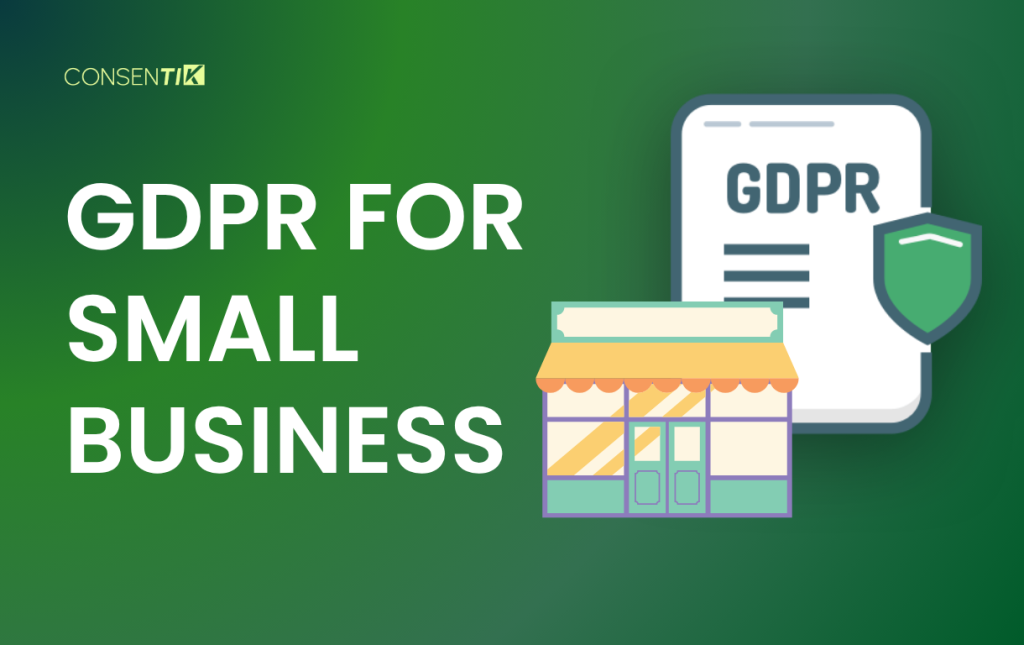
If you run a small business that deals with EU customers, GDPR applies to you. Full stop.
It doesn’t matter if you have five employees or five hundred. It doesn’t matter if you only collect email addresses. If you process personal data belonging to EU residents, you’re in scope – and the rules are the same whether you’re a solo founder or a multinational corporation.
The good news: GDPR compliance for small businesses is more manageable than it sounds. This guide walks you through exactly what applies, what you need to do, and how to get there without spending a fortune.
Does GDPR Apply to Small Businesses?
Yes – and this is the most important thing to understand upfront.
GDPR applies based on what you do with data, not how big your business is. The regulation covers any organization that collects or processes personal data belonging to EU residents, regardless of where the business is located or how many people it employs.
Personal data includes names, email addresses, phone numbers, IP addresses, location data, and anything else that can identify a person – directly or indirectly. Processing covers nearly everything you do with that data: collecting it, storing it, using it, sharing it, and deleting it.
So if you run an email newsletter, store customer contact details, use CCTV on your premises, or track website visitors with analytics – you’re processing personal data and GDPR applies.
There is one limited break for smaller organizations. Article 30 of GDPR includes a partial exemption from detailed record-keeping requirements for businesses with fewer than 250 employees. But this exemption is narrow. It doesn’t apply if your processing:
- Is not occasional (meaning it happens regularly)
- Is likely to result in a risk to individuals’ rights
- Involves sensitive data such as health information
In practice, most small businesses process customer and employee data regularly – which means most still need to maintain records. More on that in the checklist below.
GDPR for Small Business: What All Small Businesses Must Publish?
One of the first things GDPR requires is transparency. You need to tell people what data you collect, why you collect it, what you do with it, and what their rights are.
This information is typically presented in a privacy notice (also called a privacy policy), and GDPR sets clear requirements for what it must include:
- Who you are and how to contact you
- What personal data do you collect and where does it come from
- Why you’re processing it and what legal basis you’re relying on
- How long do you keep it
- Who you share it with
- The rights individuals have over their data
The notice must be written in plain language – not legal jargon – and must be easy to find. A link in your website footer is the minimum. If you collect data directly from people (a sign-up form, a checkout page), the privacy notice should be accessible at that point.
You need separate privacy information for different groups where relevant. Customers and employees have different data relationships with your business, so they typically need different notices.
The ICO Privacy Notice Generator is free, built specifically for small businesses and sole traders, and walks you through the process step by step. You can access it at ico.org.uk/create-your-own-privacy-notice.
Online and Offline Data Collection
A common misconception is that GDPR only applies to websites or online businesses. It doesn’t.
If you collect email addresses in your physical store for a loyalty program or newsletter, that’s processing personal data. If you keep a paper register of customer contact details, that falls under GDPR too – as long as it’s in a structured filing system.
Take a practical example: a small café with no website collects customer email addresses at the counter to send out weekly specials. The moment those email addresses belong to EU residents, GDPR applies. The café needs a lawful basis to collect them, must tell customers how their data will be used, and must make it easy to unsubscribe.
The channel doesn’t matter. What matters is whether you’re processing personal data of EU residents – and almost every business is.
Lawful Bases
Every time you process personal data, you need a valid legal reason. GDPR provides six options, called lawful bases. The most common ones for small businesses are:
- Contract – processing is necessary to deliver a product or service the customer ordered. This covers order fulfillment, customer support, and invoicing.
- Legal obligation – processing is required by law. Payroll, tax records, and certain employment data fall here.
- Legitimate interests – your business has a genuine interest in processing the data, and that interest isn’t outweighed by the individual’s privacy rights. This is often used for security monitoring, some forms of marketing, and fraud prevention. It requires a documented balancing assessment.
- Consent – the individual has clearly agreed to the processing. This is required for most email marketing and non-essential website tracking. Consent must be freely given, specific, informed, and unambiguous. Pre-ticked boxes don’t count. Silence doesn’t count. And people must be able to withdraw consent as easily as they gave it.
Here’s how lawful bases map to typical small business activities:
| Activity | Typical Lawful Basis | Key Watch-Out |
| Customer orders and delivery | Contract | Don’t use this for unrelated marketing |
| Employee payroll and HR | Legal obligation | Health/sickness records become sensitive data |
| Email newsletters | Consent | No pre-ticked boxes; keep proof of opt-in |
| Website analytics | Legitimate interests or consent | May also trigger cookie/ePrivacy rules |
| CCTV at premises | Legitimate interests | Must minimize capture area; signage required |
| Billing and accounting | Legal obligation | Retention periods still apply |
| Direct mail marketing | Legitimate interests (often) | Electronic marketing usually needs consent |
The most important rule: choose your lawful basis before you start processing and write it down. You can’t switch bases retroactively once challenged.
Record of Processing Activities (RoPA)
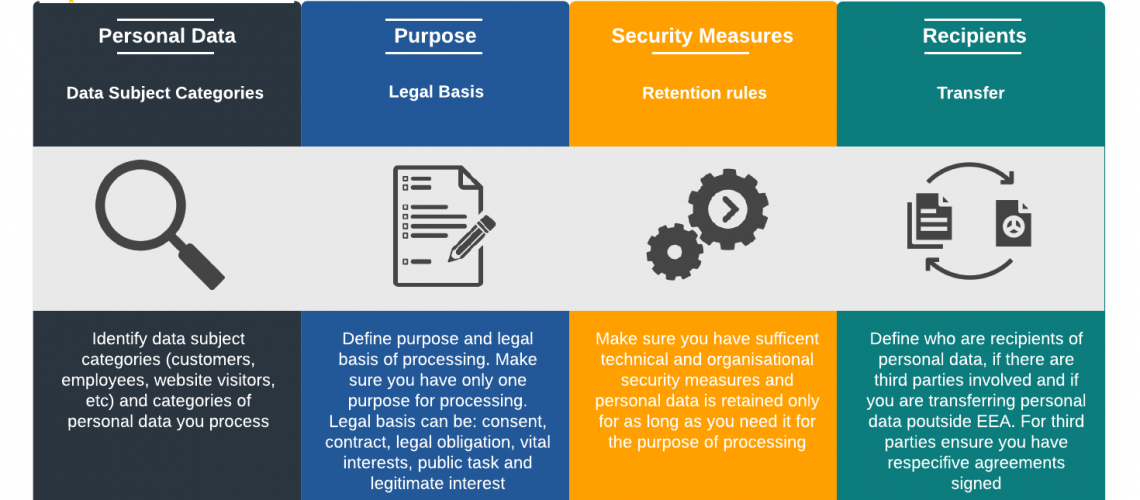
Even though the Article 30 exemption exists for smaller businesses, most small businesses still benefit from keeping a Record of Processing Activities – a document that maps out everything your business does with personal data.
A RoPA typically includes:
- The purposes of each processing activity
- The categories of personal data and data subjects involved
- Who you share data with (including processors and subprocessors)
- Any transfers outside the EU/EEA
- How long do you keep each type of data
- What security measures are in place
Beyond compliance, a RoPA is practically useful. It forces you to think through what data you hold and why, which makes every other GDPR task easier. It’s also the first thing a regulator will ask for if they investigate your business.
The ICO provides a free RoPA template (spreadsheet format) that covers everything you need. Spain’s AEPD offers a free tool called FACILITA GDPR that combines RoPA documentation with risk analysis, designed specifically for smaller organizations.
Protecting the Data You Hold
GDPR requires “appropriate technical and organisational measures” to protect personal data. What counts as appropriate depends on the sensitivity of the data and the risk of a breach – but for most small businesses, the baseline looks like this:
- Strong, unique passwords for all accounts that hold personal data
- Multi-factor authentication (MFA) on email, cloud storage, and admin accounts
- Encrypted storage for sensitive files
- Regular backups with tested restore procedures
- Access controls – only staff who need specific data should have access to it
- A process for securely wiping data from devices before disposal
Security isn’t optional, and regulators do fine small businesses for basic failures. Spain’s AEPD fined a business €3,000 for storing passwords in plain text. Sweden’s IMY fined a company the equivalent of hundreds of thousands of euros after a security failure led to a significant data leak.
The fix for most of these cases is straightforward and low-cost. MFA, proper password management, and encrypted storage address the majority of common vulnerabilities.
Data Breaches: The 72-Hour Rule
Even with good security in place, breaches can happen. GDPR sets strict requirements for how you respond.
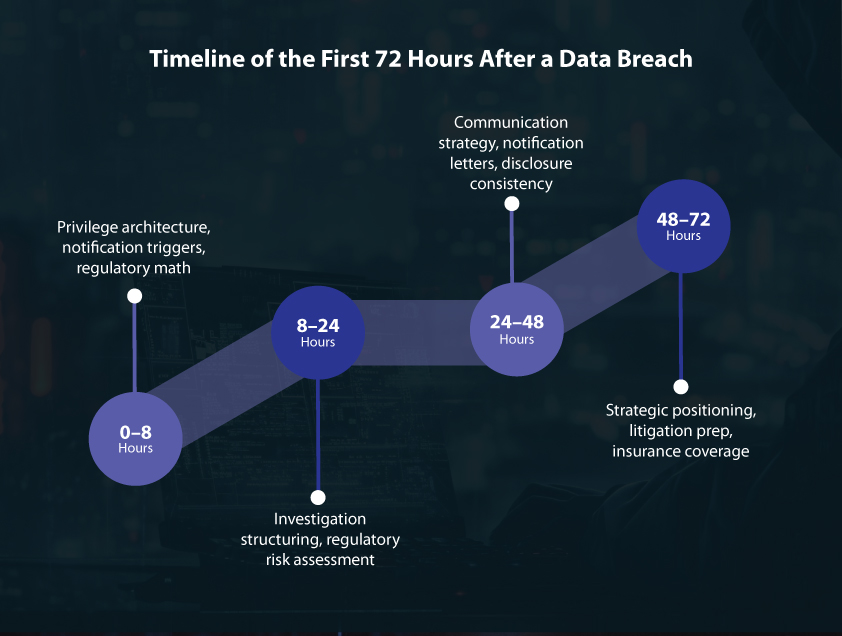
If a breach is likely to result in risk to individuals – their financial situation, reputation, or physical safety – you must notify your supervisory authority within 72 hours of becoming aware of it. That clock starts the moment you discover the breach, not when you finish investigating it.
If the breach poses a high risk to individuals, you must also notify the affected people directly, without undue delay.
Not every breach requires notification. If the breach is unlikely to result in any risk – for example, an encrypted laptop is lost but the data is inaccessible – notification may not be required. But you must document your reasoning either way.
Every business should have a basic breach response plan in place before a breach happens, covering:
- How to detect and contain a breach
- Who is responsible for assessing and reporting it
- How to notify the supervisory authority and affected individuals
- How to document the incident and remedial action
The 72-hour window moves fast. Having a plan means you’re not making decisions under pressure.
Individual Rights: What Your Customers Can Ask For
GDPR gives individuals a set of rights over their personal data. As a business, you need processes to respond to these requests reliably and on time.
Right of access: Individuals can request a copy of all personal data you hold about them, along with information about how it’s being used, why you have it, and how long you’ll keep it. You must respond within one month.
Right to erasure: Individuals can request that you delete their data. This right isn’t absolute – there are legal grounds that override it – but in many cases, you must comply promptly.
Right to rectification: Individuals can ask you to correct inaccurate or incomplete data.
Right to object: Individuals can object to processing based on legitimate interests or for direct marketing purposes.
Right to data portability: In some cases, individuals can request their data in a machine-readable format to transfer to another provider.
For most small businesses, handling these requests doesn’t require complex systems. A dedicated email address for data requests, a simple identity verification step, and a response template for each request type is enough to get started. The key is having the process in place before requests arrive – scrambling to figure it out after someone asks is how deadlines get missed.
GDPR Checklist for Small Businesses
Use this checklist to work through your compliance baseline. Tackle the high-priority items first.
| Category | Action Item | Done? |
| Data & Documentation | Complete a data map: what you collect, where it’s stored, who has access, how long you keep it | ☐ |
| Identify your role (controller, processor, or both) for each processing activity | ☐ | |
| Choose and document a lawful basis for each processing activity | ☐ | |
| Create or update your Record of Processing Activities (RoPA) | ☐ | |
| Transparency | Publish a privacy notice covering all Article 13/14 requirements | ☐ |
| Create an employee privacy notice if you have staff | ☐ | |
| Add a cookie notice and consent mechanism if you use non-essential tracking | ☐ | |
| Consent | Replace any pre-ticked consent boxes with active opt-ins | ☐ |
| Keep separate consent records for separate purposes | ☐ | |
| Provide a clear, easy way to withdraw consent | ☐ | |
| Vendors & Transfers | Identify all data processors (SaaS tools, platforms, service providers) | ☐ |
| Confirm a Data Processing Agreement is in place with each processor | ☐ | |
| Check whether any processors transfer data outside the EU/EEA and confirm transfer mechanisms | ☐ | |
| Security | Enable MFA on all accounts holding personal data | ☐ |
| Implement access controls (least privilege principle) | ☐ | |
| Set up regular encrypted backups | ☐ | |
| Create a device disposal procedure | ☐ | |
| Rights & Requests | Set up an intake channel for data subject requests | ☐ |
| Build a response process with a one-month deadline tracker | ☐ | |
| Document how you handle erasure, access, and objection requests | ☐ | |
| Breach Response | Create a breach response plan covering detection, containment, assessment, and notification | ☐ |
| Keep a breach log – even for incidents that don’t require reporting | ☐ | |
| Retention | Set retention periods for each data type | ☐ |
| Create a deletion routine and schedule | ☐ | |
| People | Assign an internal person responsible for data protection | ☐ |
| Train staff who handle personal data | ☐ | |
| Schedule an annual review of your compliance documentation | ☐ |
One of the Easiest GDPR Requirements to Get Wrong: Cookie Consent
Most small businesses add a cookie banner to their website and assume they’re done. They’re not.
A basic “Accept cookies” banner doesn’t meet GDPR requirements. Under GDPR, visitors must be able to genuinely accept or decline non-essential cookies – before any tracking starts. Their choice must be recorded, stored, and easy to reverse. A banner with no real opt-out isn’t compliant. It just looks like one.
This is one of the most commonly fined GDPR issues for small businesses. Regulators in France, Spain, and Ireland have all issued fines for inadequate cookie consent setups – and small businesses are not exempt.
There’s a second problem: since Google launched Consent Mode V2, a non-compliant consent setup degrades your Google Analytics and Ads data. So beyond the legal risk, you’re also losing visibility into your own marketing performance.
Setting this up correctly – without a developer or privacy lawyer – is harder than it sounds. That’s where Consentik helps.
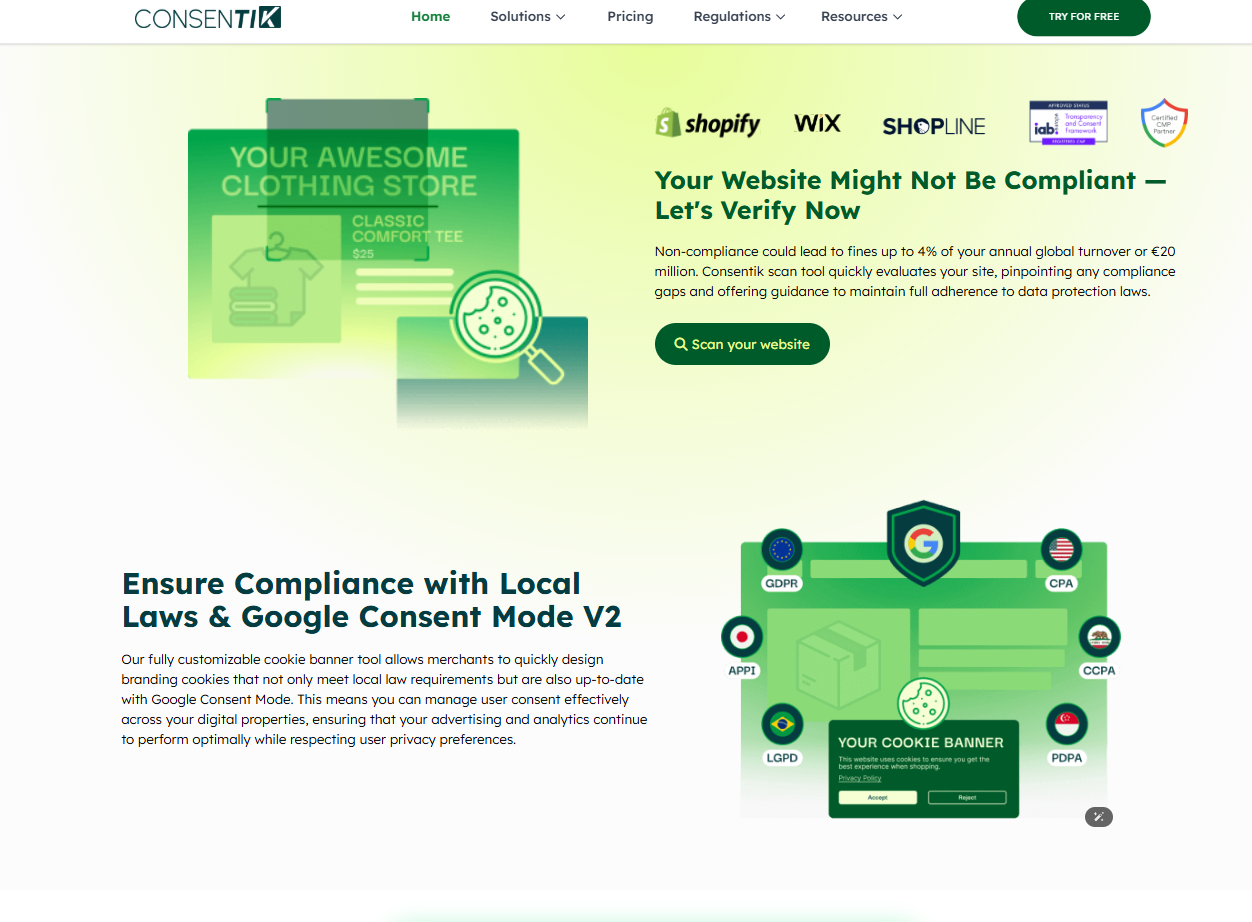
Consentik is a Consent Management Platform built for websites and online stores that need to comply with GDPR, CCPA, and other global privacy regulations – without needing to understand the technical details behind every requirement.
For small businesses specifically, it handles the parts of cookie consent that are easy to get wrong:
- Customizable, GDPR-compliant cookie banners that give visitors a real choice and meet Google Consent Mode V2 standards
- A website compliance scanner that checks your site for privacy issues and tells you what to fix – useful if you’re not sure whether your current setup is actually compliant
- Automated consent tracking that records and stores user consent decisions in real time, giving you a documented audit trail if a regulator ever asks
- Google Consent Mode V2 integration that keeps your Analytics and Ads data accurate while respecting visitor preferences
- Integrations with major tools, including Web Pixel, Microsoft UET, Sklik, and Shopify headless stores
If GDPR applies to your small business – and if you’ve read this far, it does – cookie consent is one requirement you don’t want to handle with a generic banner and a hope for the best. Consentik gives you a setup that actually meets the standard, without needing to hire a developer or a privacy lawyer to get there.
How Much Does GDPR Compliance Cost?
Less than most small businesses expect – especially if you use the free official tools available.
Micro-businesses (1–5 people), low-risk processing: Getting to a solid baseline typically takes 1–3 working days of internal effort. Out-of-pocket costs are often $0–$500, depending on whether you invest in security tools or a consent management platform.
Small businesses (6–25 people), moderate complexity: Expect 1–3 weeks of part-time effort to get processes fully operational. Costs increase if you need external IT support, a DPIA review, or legal advice for complex processing activities.
The businesses that face the highest costs are typically those that ignored compliance until they received an inquiry – and then had to bring in external legal support to deal with it under pressure. Starting early, even with basic documentation, is always cheaper.
Final Thoughts
GDPR can feel overwhelming when you first look at it. But for most small businesses, the path forward is simpler than it appears. You don’t need a legal team. You don’t need expensive software. You need to know what data you hold, use it responsibly, be honest with people about it, and have a basic plan for when things go wrong. Start with the checklist. Use the free tools. Assign someone to own it. That’s enough to put your business in a far better position than most. The businesses that end up with fines and investigations aren’t usually the ones that got something slightly wrong. They’re the ones that looked at GDPR, decided it didn’t apply to them, and did nothing. You’ve already done the hard part by taking it seriously.