Amazon paid $877 million. Google got hit with €150 million. Both fines? Cookie consent violations. As a Shopify store owner, you might think these rules only apply to big corporations. Think again. Regulators are now targeting smaller businesses too.
Cookie opt-in requirements have changed how online stores collect data. Get it wrong, and you risk fines up to 4% of your annual revenue. Get it right, and you build real trust with customers. This guide covers everything you need to know about cookie consent-what it means, when to use it, and how to set it up on Shopify. Keep reading to protect your store.
What Is Opt-In and Opt-Out?
Let’s start with the basics. These two terms describe opposite approaches to getting permission from your website visitors.
- Opt-in consent means visitors must say “yes” before you collect their data. Nothing happens until they actively agree. They land on your site, see a cookie banner, and make a choice. If they ignore it or click “reject,” you don’t track them. Simple as that.
- Opt-out consent works the other way around. You start collecting data automatically when someone visits your store. They’re assumed to be okay with it unless they take action to stop it. The burden falls on them to say “no thanks.”
Think of it like this: opt-in is like asking someone if they want coffee before pouring a cup. Opt-out is like putting coffee in front of them and assuming they’ll drink it unless they push it away.
The difference matters because privacy laws around the world treat these approaches very differently. Some countries require one, some allow the other, and some are somewhere in between.
Opt-In and Opt-Out Examples
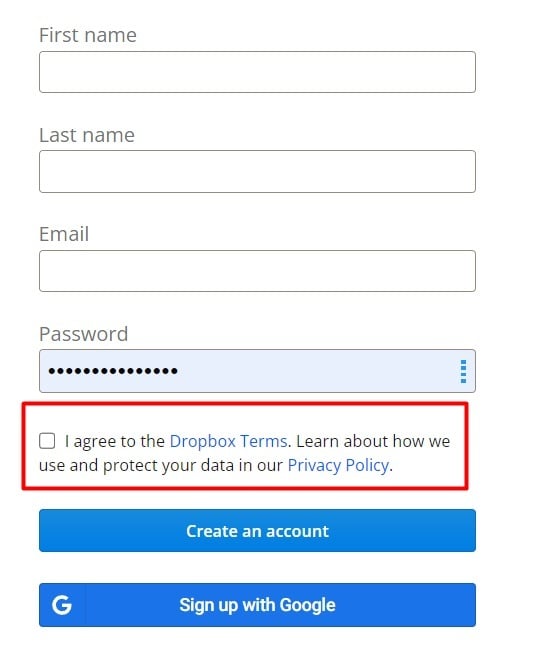
Seeing these concepts in action helps make them concrete.
Opt-In Cookie Banner Example
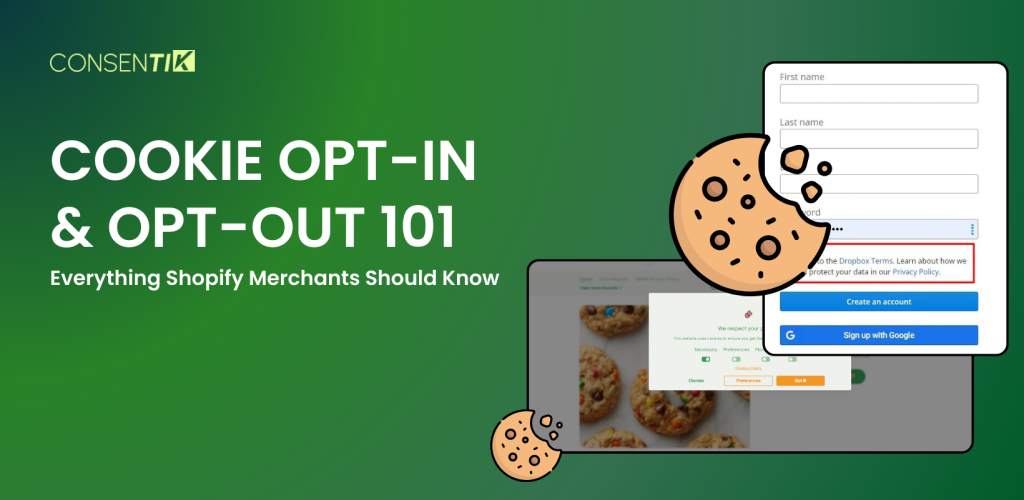
Picture a cookie banner that shows up when someone first visits your store. It has two equally visible buttons: “Accept All” and “Reject All.” There might also be a “Customize” option where visitors can choose which types of cookies they’re comfortable with.
Here’s the key part: until the visitor clicks one of those buttons, your analytics tools, Facebook Pixel, and marketing scripts stay completely silent. Nothing tracks them. The visitor has full control.
Many European websites work exactly this way. A visitor from Germany lands on an online store and immediately sees a pop-up. They can accept tracking, reject it, or pick and choose. Their decision is respected.
Opt-Out Cookie Notice Example
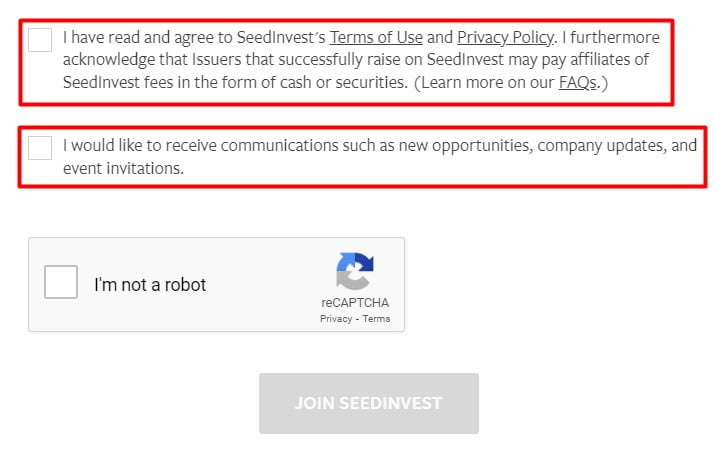
Now imagine a different scenario. A visitor lands on your site and sees a small banner at the bottom saying something like: “We use cookies to improve your experience. By continuing to browse, you accept our use of cookies.”
Behind the scenes, tracking scripts are already running. The banner might have a small “Manage Preferences” link that leads to a settings page where visitors can turn off certain cookie categories. But unless they dig into those settings, everything stays on.
Many American websites take this approach. The banner informs visitors about cookies and gives them an option to opt out, but collection happens by default.
Why Cookie Consent Actually Matters for Your Store
Before diving into which approach you need, let’s talk about why this deserves your attention in the first place.
- Legal protection. The EU has issued fines in the hundreds of millions for cookie violations. Sephora paid $1.2 million in California for ignoring opt-out requests. Regulators are now targeting smaller businesses too.
- Customer trust. Shoppers notice how you handle their privacy. Users who actively opt in tend to be more engaged long-term-they choose to let you track them, which builds a stronger relationship.
- Future-proofing. Privacy laws only get stricter. What’s opt-out today might require opt-in tomorrow. Building good habits now saves painful transitions later.
- Marketing quality. Tracking only consented users means you’re measuring genuinely interested visitors. Your conversion rates often improve because you’re working with a self-selected, engaged audience.
Cookie Opt-In and Opt-Out: Which One Do You Need?
It depends on where your customers live. Different countries have different rules-follow the strictest ones that apply to your audience.
You need to opt-in if you sell to:
- European Union & UK – GDPR requires explicit consent before tracking. Pre-checked boxes don’t count. Your banner needs equal “Accept” and “Reject” buttons.
- Canada (especially Quebec) – Law 25 requires opt-in for cookies handling personal data. Other provinces lean in the same direction.
- Brazil – LGPD mirrors GDPR. Get consent first.
- South Africa, Japan, Australia – All favor opt-in for sensitive data.
The rule: Nothing tracks until visitors click “Accept.”
You need to opt-out if you sell to:
- United States – No federal cookie law exists. You can track by default, but California’s CCPA requires a “Do Not Sell My Personal Information” link.
- Colorado, Virginia, Connecticut – Similar to California. Track by default, but provide clear opt-out options.
The rule: Tracking starts automatically, but users can stop it anytime.
Sell Globally? Use Both.
Most Shopify stores have customers from multiple regions. The smart approach:
- Show opt-in banners to EU, UK, Canada, and Brazil visitors
- Show opt-out notices to U.S. visitors
Shopify’s regional settings or a consent app can detect visitor location and display the right banner automatically.
When and How to Implement Opt-In
Opt-in means users must say “yes” before you collect their data. Here’s when you need it and how to set it up.
#1 Collecting Personal Data from EU Visitors
GDPR requires consent before collecting personal data-unless you have another legal basis like fulfilling a contract or legal obligation.
How to implement: Use cookie consent banners with clear “Accept” and “Reject” buttons. Users must actively choose before any tracking starts.
#2 Collecting Data from Minors
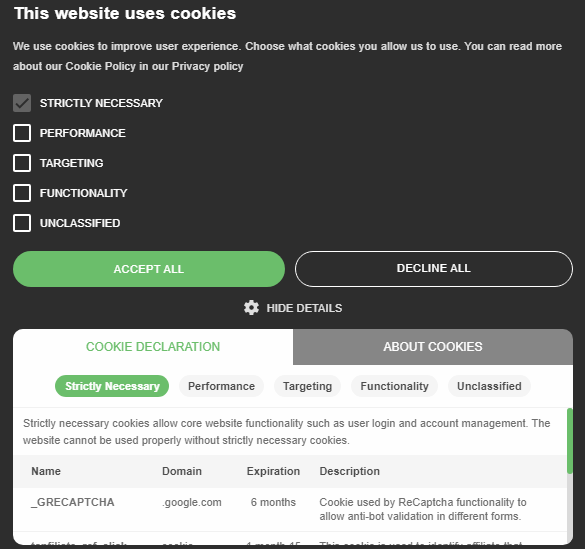
If your store collects data from children, you need parental consent first.
How to implement: Add age verification and require parent or guardian approval through email confirmation or similar methods.
#3 Using Third-Party Cookies
Analytics tools, Facebook Pixel, and advertising scripts all use third-party cookies. These require explicit consent in most regions.
How to implement: Display a cookie banner when visitors first arrive. Nothing tracks until they click “Accept.”
#4 Collecting Emails for Marketing
Want to send newsletters or promotional emails? You need permission first.
How to implement: Add an unchecked checkbox on signup forms saying something like “Yes, send me updates and offers.” Never pre-check it.
When and How to Implement Opt-Out
Opt-out means you collect data by default, but users can stop it anytime. Here’s when this applies and how to set it up.
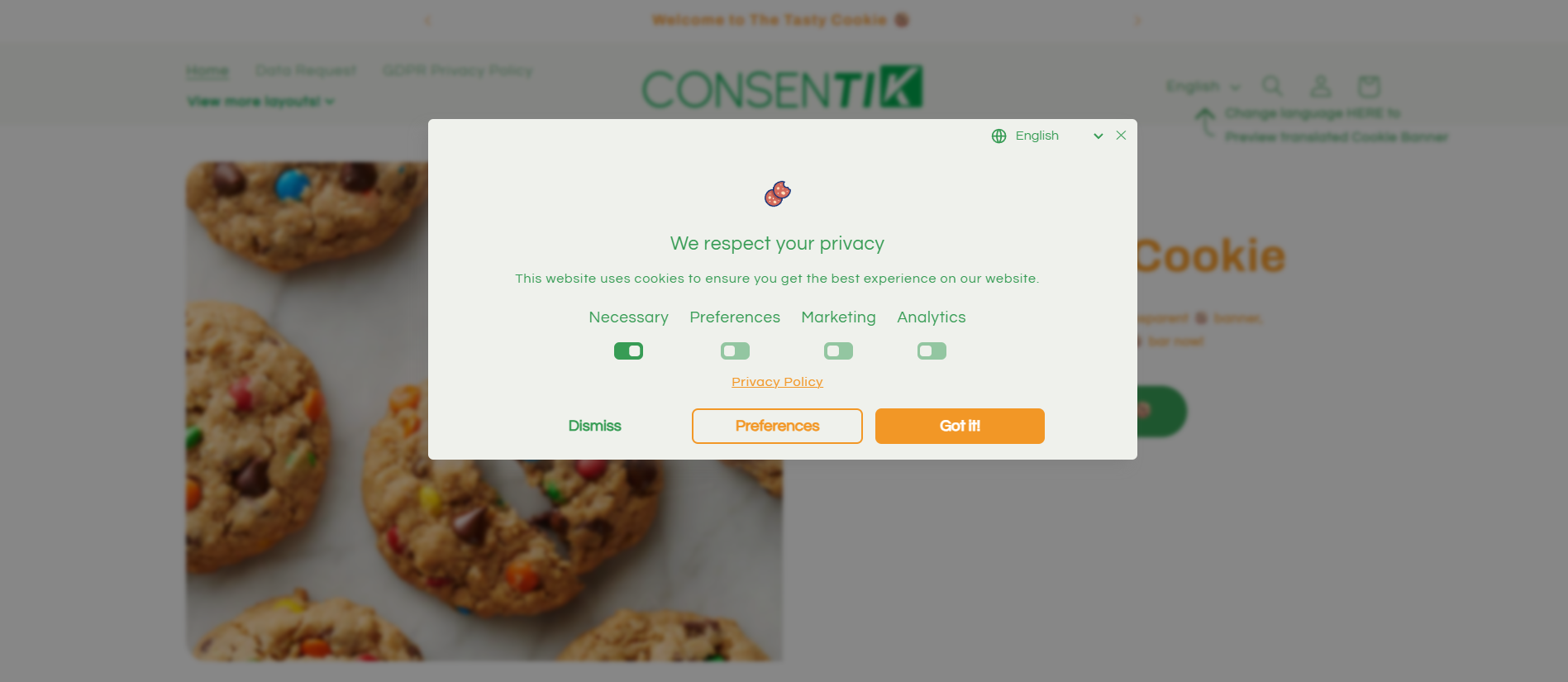
#1 When Users Want to Withdraw Consent
Even after someone agrees, they can change their mind. You must let them.
How to implement: Add a “Cookie Settings” link in your footer so visitors can update their preferences anytime.
#2 Selling to California Residents
CCPA requires you to let California users opt out of having their data sold or shared.
How to implement: Add a “Do Not Sell My Personal Information” link in your website footer. Link it to a page where users can confirm their choice.
#3 Using Analytics and Advertising Cookies
Users should be able to reject tracking cookies whenever they want.
How to implement: Include a “Reject All” button on your cookie banner, or link to a preference center where users can turn off specific cookie types.
#4 Sending Marketing Emails
Subscribers must be able to stop receiving emails at any time.
How to implement: Include a clear “Unsubscribe” link at the bottom of every marketing email.
Here’s the shorter, value-focused version:
How Consentik Supports Opt-In and Opt-Out Consent
Setting up cookie consent sounds complicated. Different laws, different regions, different requirements-it’s a lot to manage on your own. That’s where Consentik comes in.
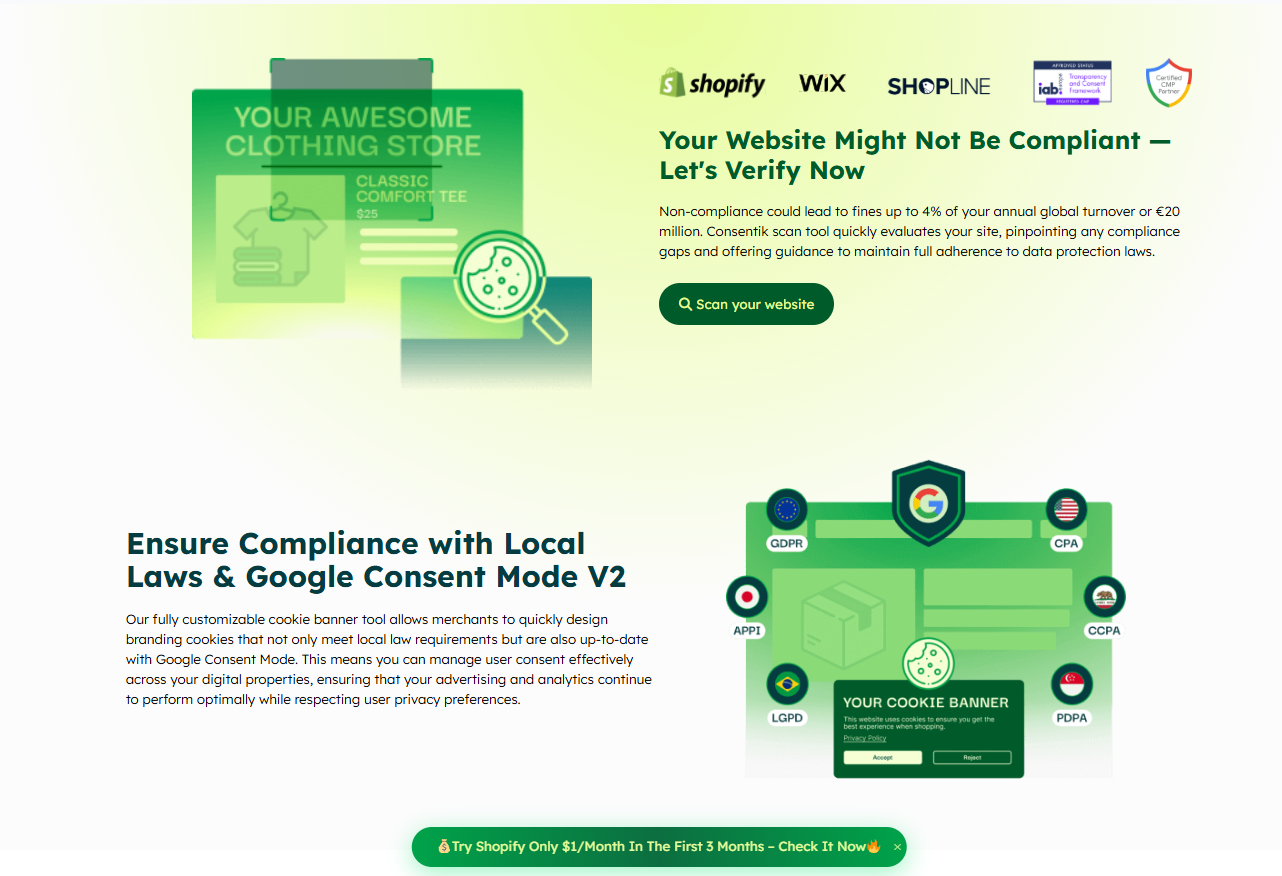
Consentik isn’t just another cookie banner app. It’s a Google CMP Partner and Microsoft-approved CMP – meaning it meets the strict standards set by the world’s biggest tech companies.
This matters for your store. Google Consent Mode V2 now requires a certified CMP for accurate conversion tracking. Without one, your Google Ads performance suffers. Consentik keeps your ads running smoothly while respecting user privacy choices.
Already selling on multiple platforms? Consentik has dedicated apps for Shopify, Wix, and Shopline, WordPress, and more. Same trusted solution, wherever you sell.
What Consentik does for you:
- Google Consent Mode V2 – Keeps your ads performing even when users decline tracking. The accurate gcd parameter helps maintain conversion data.
- Microsoft Consent Mode (Clarity) – Full integration with Microsoft’s privacy tools as an approved CMP.
- IAB TCF v2.2 Support – Meets the strictest industry standards for programmatic advertising.
- Hydrogen Storefront Compatible – Using Shopify’s headless solution? Consentik integrates smoothly.
- Clear Analytics & Reports – See how many visitors accept or reject cookies. Track consent rates over time. Make data-driven decisions.
Consentik Cookie Banner handles everything for you. No coding needed. Just install, customize, and you’re compliant with GDPR, CCPA, LGPD, and other privacy laws.
Consentik Supports Opt-In and Opt-Out Consent
Make privacy compliance easy for Shopify and Wix stores
FAQs on Opt-In and Opt-Out
What happens if someone ignores my cookie banner?
That depends on your model. With opt-in, ignoring the banner means no consent was given, so you shouldn’t track them. With opt-out, ignoring it typically means cookies stay active.
Can I change from opt-out to opt-in later?
Yes. Many stores switch to stricter consent as regulations tighten or as they expand internationally. The transition is straightforward-you just update your consent settings and start collecting explicit consent going forward.
Will opt-in hurt my advertising performance?
Initially, you might see lower tracking numbers, which can affect ad optimization. But you’re also building a list of visitors who actively consented, which often leads to more engaged audiences over time. Some studies show opt-in users are more likely to become loyal customers.
How long should I keep consent records?
GDPR doesn’t specify an exact timeframe, but keeping records for at least as long as you retain the associated personal data is smart. Many businesses keep consent logs for five years or more.
Do I need consent for all cookies?
No. Essential cookies that make your site work (like a shopping cart) don’t need consent. Only analytics, advertising, and marketing cookies require opt-in or opt-out options.
Final Words
Cookie consent isn’t just about avoiding fines. It’s about showing customers you respect their choices. That builds trust-and trust keeps them coming back.
Start simple: know where your customers are, set up the right banners, and test everything. Privacy laws will keep changing, but getting the basics right now puts you ahead. You’ve got the knowledge. Time to put it to work.